My Homelab Overview
by Sahib Gasimov
I started building a homelab as a fun side project during lockdown, and it's kinda grown from there. What started as a few mini PCs on a desk, has eventually grown into a full server rack. Now I've got it running backups, a media server, Kubernetes cluster, Docker containers, Local LLM, monitoring dashboards, logs collections, private VPNs, CI/CD pipeline automations. It's my space to mess with whatever new shiny tech catches my eye...
Almost all here was bought used and eBay is my best friend for that. It made my IT learning journey work faster and more enjoyable, so I've gotten more into the home server scene. I like to spend as little as possible, and learn as much as I can on many different platforms.
The purpose here is learning opportunity. There is no fixed end goal, just direction break it, fix it, learn something new.
Hardware and Rack Setup
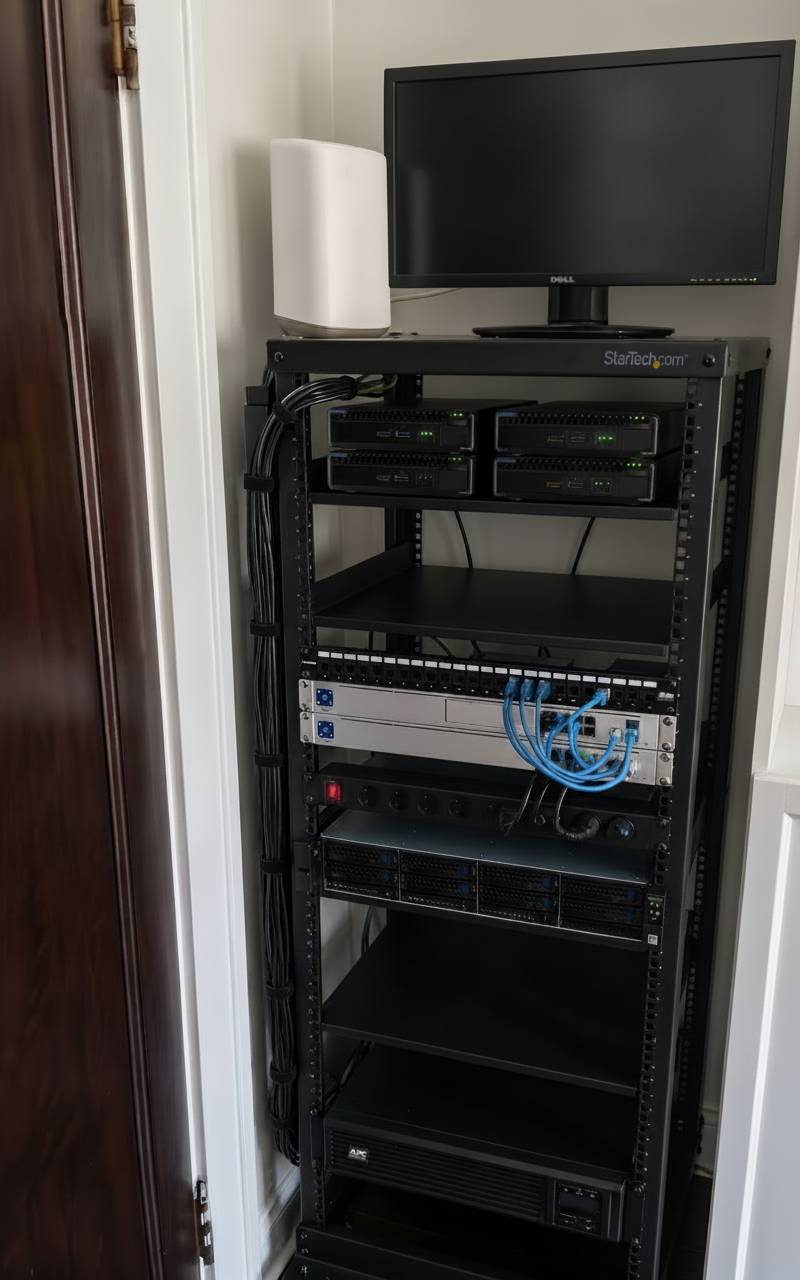
- Server Rack: StarTech 4POSTRACK25U - 4-post 25U mobile open-frame server rack (19in) on casters, with vertical cable management and structured cabling. The open frame keeps airflow simple and rolls out of the closet when I need rear access.
- Dell Monitor: Dell 22" for direct KVM console/Grafana access
- HPE ProLiant Mini Servers (x4): Rack-shelf mounted Proxmox/Kubernetes nodes - 8-core 2.4 GHz (Intel Xeon E5-2630 v3), 32 GB RAM each. Picked up used on eBay, these are upgrade from the old HP EliteDesks.
- Network / Gateway: Ubiquiti UniFi Dream Machine Special Edition (UDM-SE) - rackmount gateway/router with built-in switching: 8× GbE LAN (PoE), 1× 2.5G WAN, and 2× 10G SFP+. Handles VLANs to segment Kubernetes, storage, and management traffic, plus UniFi UI for port-level visibility and bandwidth monitoring.
- Patch Panel: 24-port keystone patch panel loaded with Cat6A shielded female-to-female inline couplers (rated up to 10 Gbps). This is the 24-port breakout for rack cabling - separate from the UDM-SE's 8 LAN ports.
- PDU: Rack-mounted switched power strip feeding all devices from the UPS, so the whole rack is on battery-backed power.
- Rackmount Server: RackChoice 2U - 8 x 3.5" hot-swap bays, 6 Gbps, M-ATX/Mini-ITX, 21.5" depth. Primary storage server running TrueNAS with ZFS storage pools, SMB shares, and Proxmox Backup Server targets. Also handles heavier compute workloads that would strain the mini nodes.
- Rack-Mount UPS: APC 1500VA Smart UPS, SMC1500 Rack Mount UPS AVR, 120V
- Mesh WiFi Node: Xfinity mesh access point
The whole rack idles around ~120 W and peaks near ~260 W when the GPU is busy running a model or the cluster is under load. That works out to roughly 90-100 kWh/month, or about $12-15 on my electricity rate.
Additional Nodes
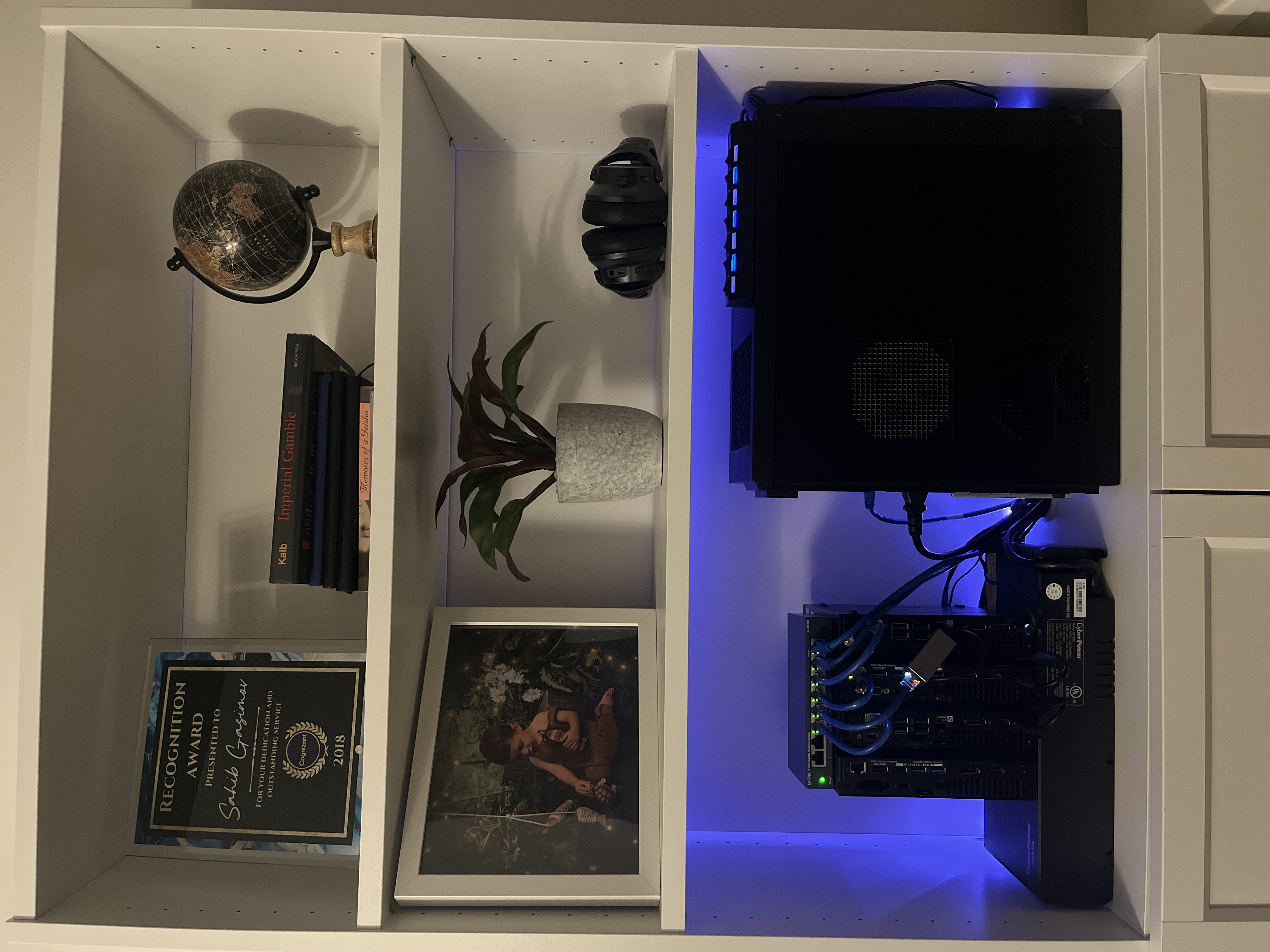
- AI / Proxmox node: Dell Precision Tower 3630 with 48GB RAM and an NVIDIA RTX 3060 12GB GPU. This node runs Ollama, Open WebUI, and Paperless-NGX AI processing. See the full write-up in my Local AI with Ollama on Proxmox article.
- Proxmox backup server (PBS): Dell OptiPlex 5050 Mini
- Dell OptiPlex 7070 Mini (x3) 16 GB RAM each: A separate Proxmox cluster that I run for a volunteer charity community project.
Network & Architecture Diagram

The UniFi Dream Machine SE (UDM-SE) is the L3 gateway for my homelab, it owns the VLANs, inter-VLAN routing, and the Azure site-to-site IPsec VPN. Storage, compute, management, and Kubernetes traffic stay on separate subnets. Only user-facing apps are exposed to the internet through a Cloudflare Tunnel behind Zero Trust (whitelisted emails). I reach everything else remotely over Tailscale.
The S2S tunnel is routed on the UDM-SE, and the Local Network Gateway address space advertises only VLAN 20 10.0.20.0/24 so Azure can reach the Proxmox sync targets on that VLAN (and Azure VNet 10.10.0.0/24 routes back the same way). Management, storage, and Kubernetes VLANs stay local.
VLAN map
UniFi networks / port profiles put each host on the right VLAN. Proxmox bridges use VLAN tags so VMs and LXCs land on Compute or K8s as needed. Inter-VLAN: Compute can reach Storage for NFS/SMB backups; Mgmt reaches infrastructure for admin; K8s stays on its own subnet with MetalLB handing out service IPs from a reserved pool.
| VLAN | Subnet | Purpose |
|---|---|---|
| 10 - Mgmt | 10.0.10.0/24 |
Management, PBS, internal DNS, admin access |
| 20 - Compute | 10.0.20.0/24 |
Proxmox environment |
| 30 - Storage | 10.0.30.0/24 |
TrueNAS ZFS / SMB / NFS fabric |
| 40 - K8s | 10.0.40.0/24 |
Kubernetes nodes, MetalLB pool 10.0.40.200-250 |
Homelab's Core
Proxmox Cluster - One of the reason I started exploring Proxmox virtualization initially was to set up a home Kubernetes cluster.
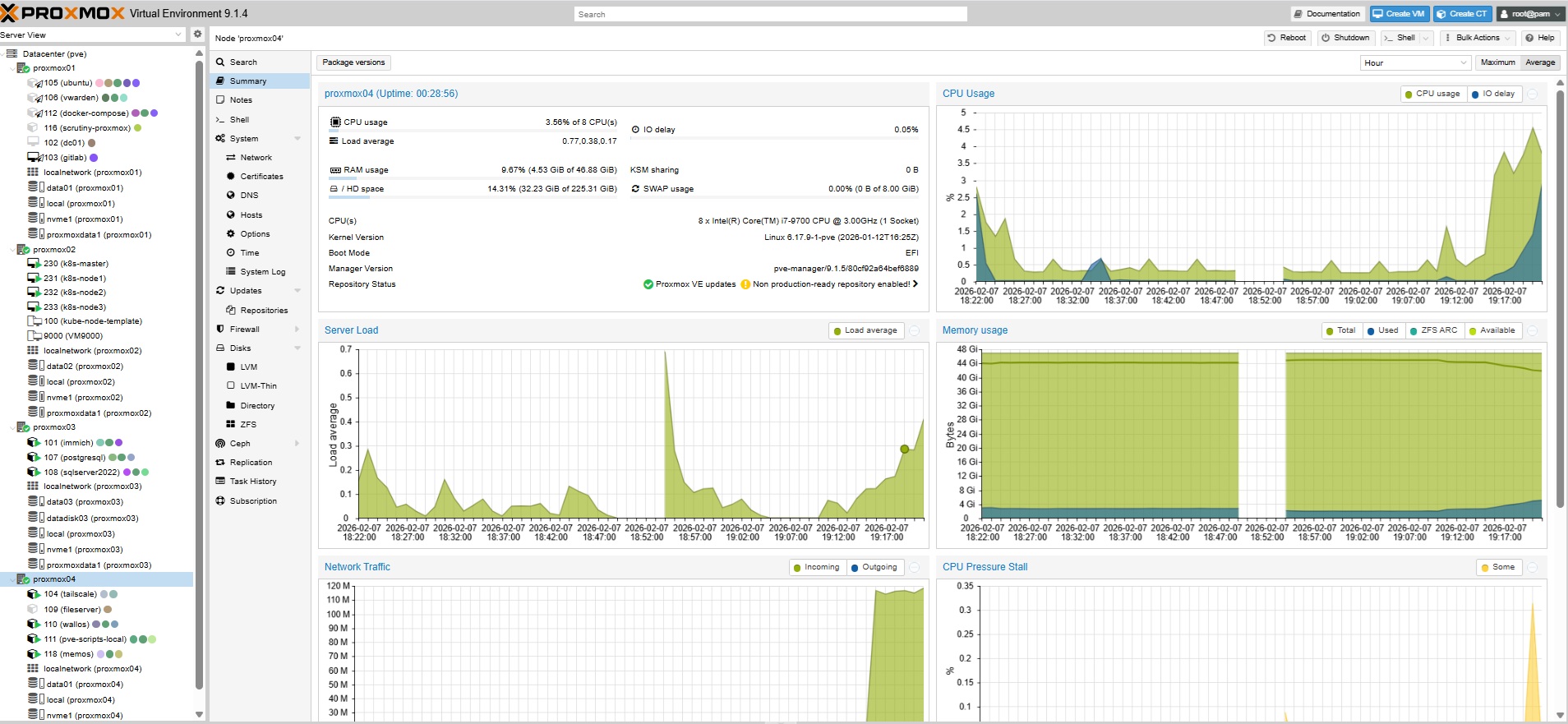
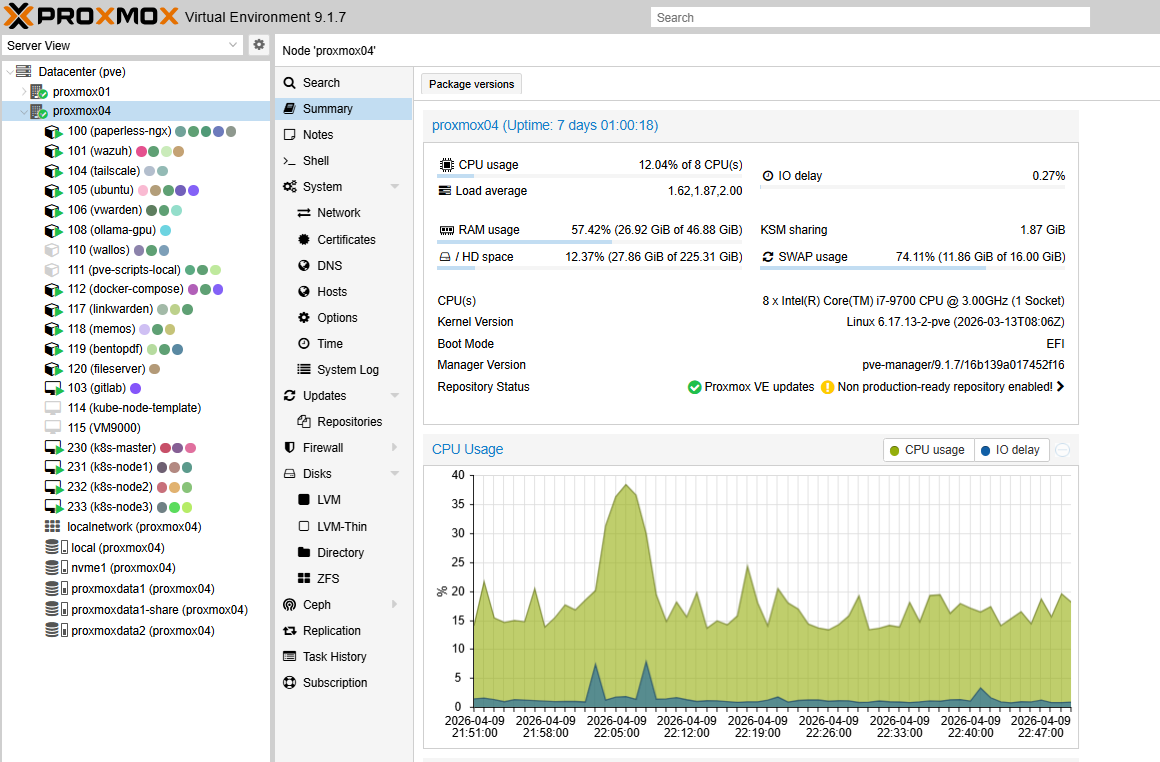
I've started from a single node, but with the time it grew to three nodes. Running Kubernetes in the cloud may get expensive, so I was looking for a cost effective and free alternative. I did try running K8s bare metal on the mini PCs, but keeping them all updated and healthy was kind of a pain... Proxmox VMs made life much easier, cosidering snapshots are so easy to take and restore.
Virtualizing k8s on Proxmox instead of bare metal costs me a few percent of raw performance, but snapshot-before-upgrade has saved a broken node more than once, so I take that deal every time.For this setup Proxmox worked well. I spun up my first control plane afer watching LearnLinux TV tutorial, which I still highly recommend to everyone starting from the scratch Build a Kubernetes Cluster on Proxmox

Proxmox Backup Server - nothing specific to say about it, just a great tool for backing up and restoring VMs. I've already needed it a few times after messing up configs. Totally a lifesaver..
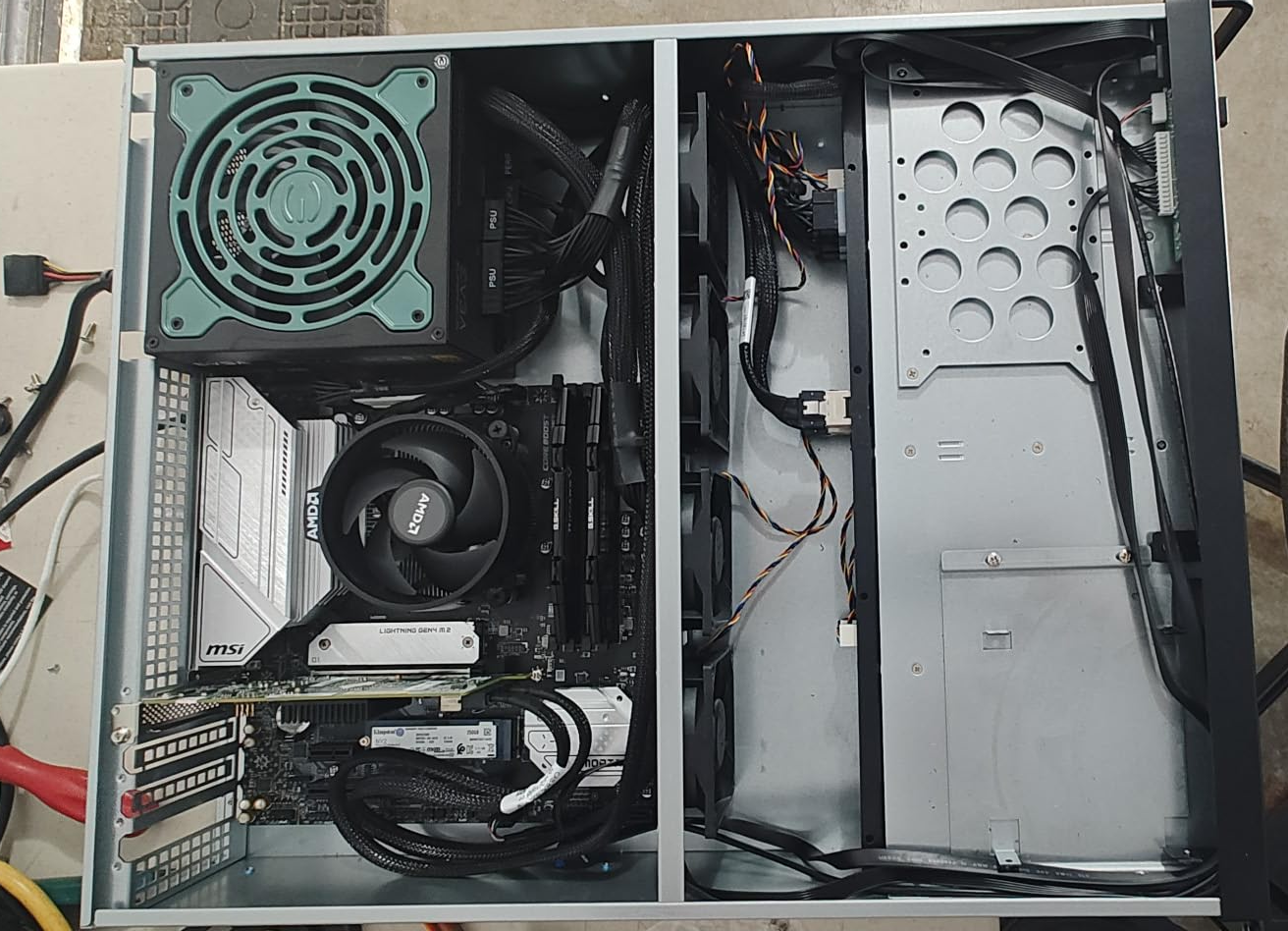
TrueNAS - Currently running on a RackChoice 2U server case with 8 x 3.5" hot-swap bays and 6 Gbps throughput, it got eight 4TB disks in a RAIDZ2 pool. The initial idea was having a basic network file share for personal , family storage, volunteer community projects and backups. I started with Samba on Ubuntu Server, but eventually moved to TrueNAS for proper storage pool management, ZFS snapshots, and SMB/NFS shares all in one place.
RAIDZ2 costs me two drives of usable capacity, but after the incident when an old disk died on me in the middle of the night, surviving two simultaneous failures was clearly worth it.
What's actually running on my homelab
These days my homelab is a bit of a mess. Some dev environments for side projects, Kubernetes clusters, GitOps, Local LLM, workflows, CI/CD pipelines, monitoring tools, a bunch of self-hosted web apps and database for a local volunteer group I help with.
Below is a Heimdall dashboard it's an open source dashboard that manages all my applications. It has a nice organized interface for launching my applications that I can customize directly from the app. I use it to record all services running on my homelab, their URLs, and login credentials. There are some apps I use with the same IP pod different ports, so remembering all of them would be a pain..
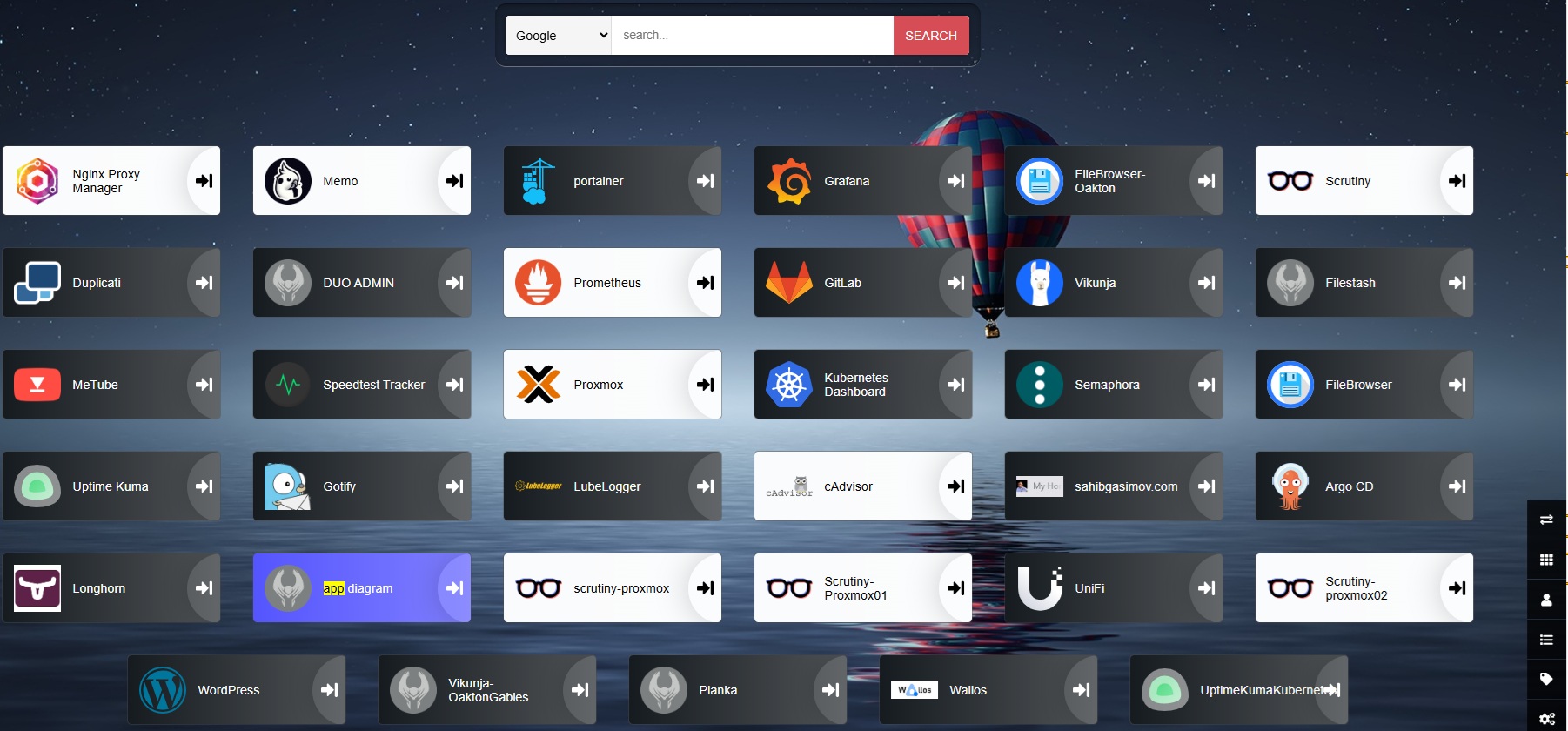
Most of my homelab apps are deployed either via Proxmox VM, LXC or run on my Kubernetes cluster. The number of applications changes over time, but there are several core services I consistently maintain.
I previously used Docker Compose containers for everything, I still use it for some workloads, but I have now migrated most of my apps inside Kubernetes. It's still ongoing, not everything fits perfectly into Kubernetes, but moving more workloads helps me build skills that I not always touch at work but can bring to work.
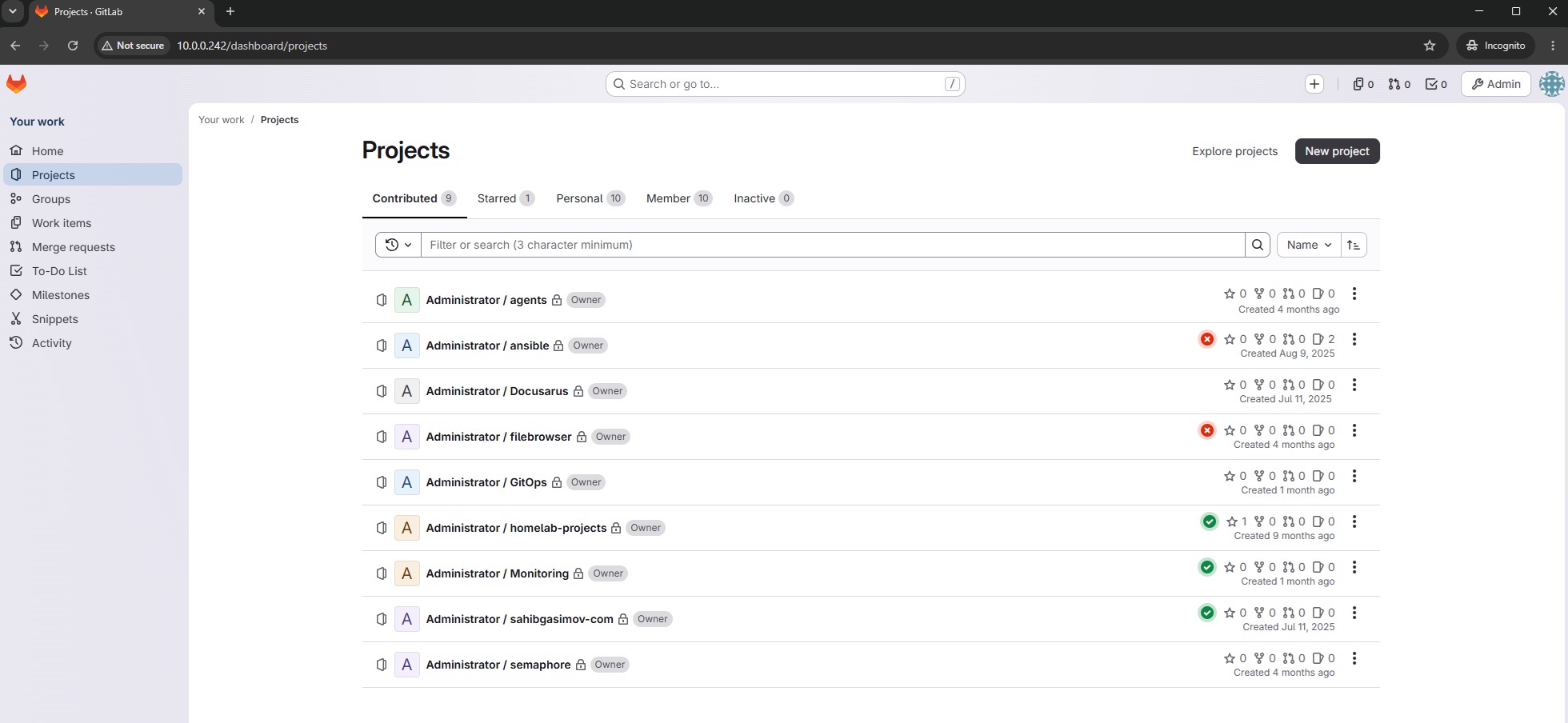
GitLab - I used to run Gitlab server on docker-compose. The pros was definetely the speed and job processing time, however one day all of sudden it just crashed and it took me a lot of efforts to retrieve the data back. Since then I've moved Gitlab to a Proxmox VM, I have backups, snapshots on TrueNAS, which makes my life much easier. I also run a GitLab Runner on Kubernetes via Helm, which handles my CI/CD pipelines for deploying apps to the cluster.
SonarQube - self-hosted as a Proxmox LXC (community helper script, same idea as Vaultwarden). GitLab CI on the Kubernetes runner sends analysis there for projects like this website. Merge requests have to pass the quality gate before they land on main, so issues get blocked in the pipeline instead of after deploy. More on the website pipeline in How Do I Deploy My Website.
For lab inventory that AI agents and I can both trust, I keep Markdown in my homelab-projects GitLab repo: ARCHITECTURE.md (verified hosts and how services connect) and CHANGELOG.md (newest-first infra notes, no secrets). These pages tell the story; those .md files are the up-to-date checklist.
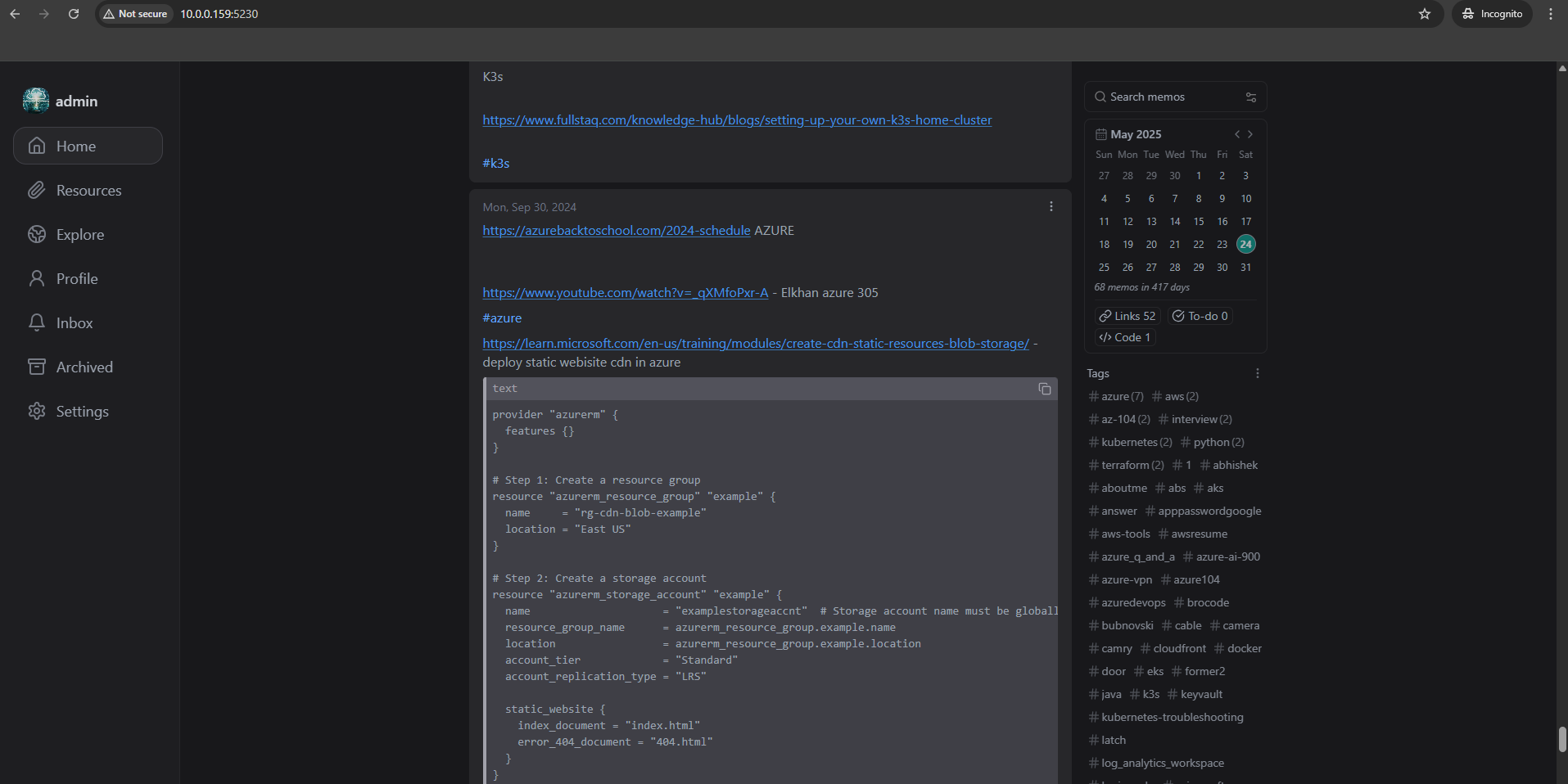
Ollama - My Local LLM server running on my Dell Precision 3630 with GPU passthrough to an LXC container. Nowadays I use it for document processing via Paperless-NGX or a coding assistant for simple tasks in VS Code through the Continue.dev extension, and as a general chat interface through Open WebUI. Everything runs on the RTX 3060 with no cloud API calls. For the full setup details, see my Local AI with Ollama on Proxmox article.
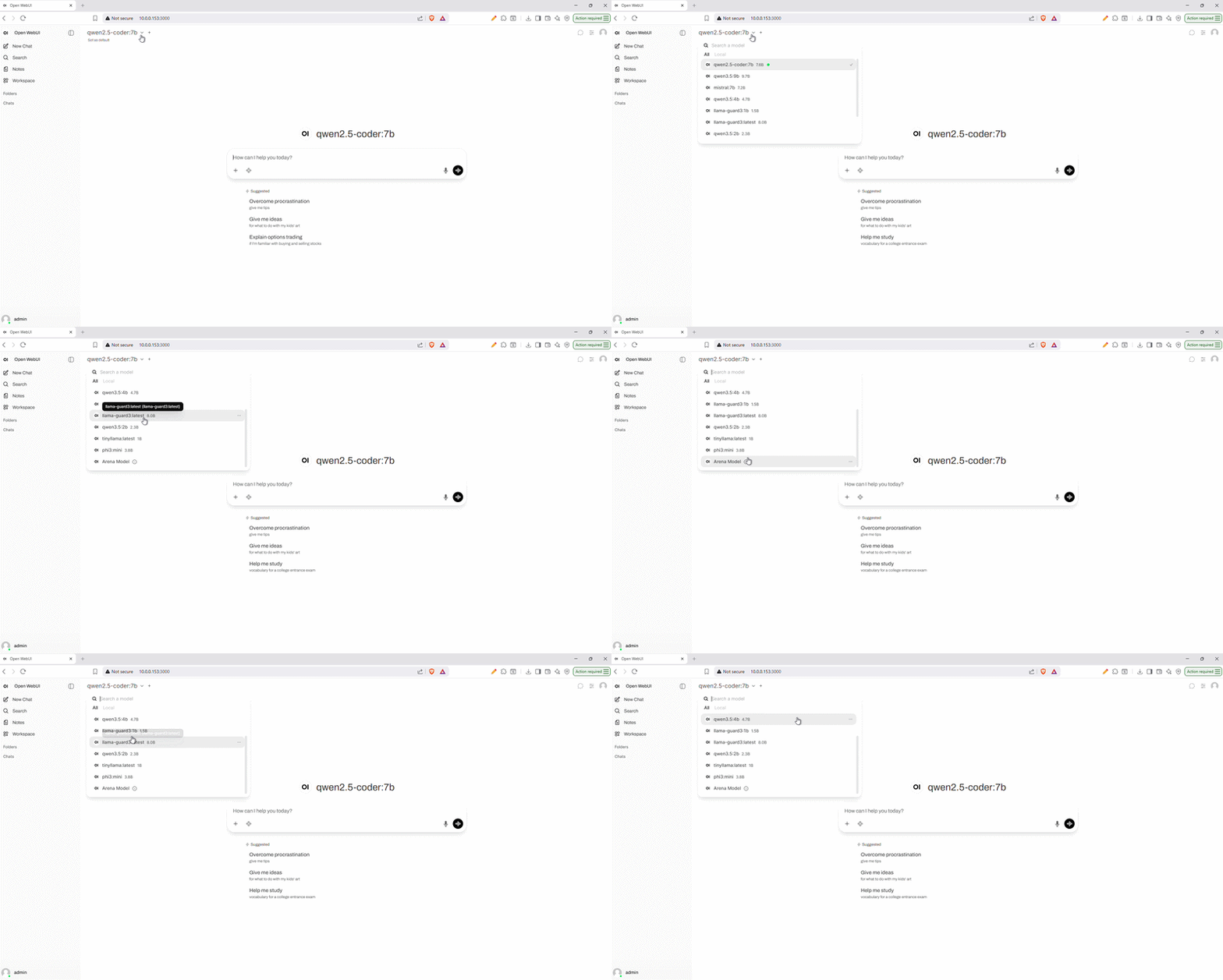
Portainer - I use it for managing my Docker containers, even thoguh I currently don't have many.. But in general it may come super helpful if I need to clean up old images or troubleshoot a container.
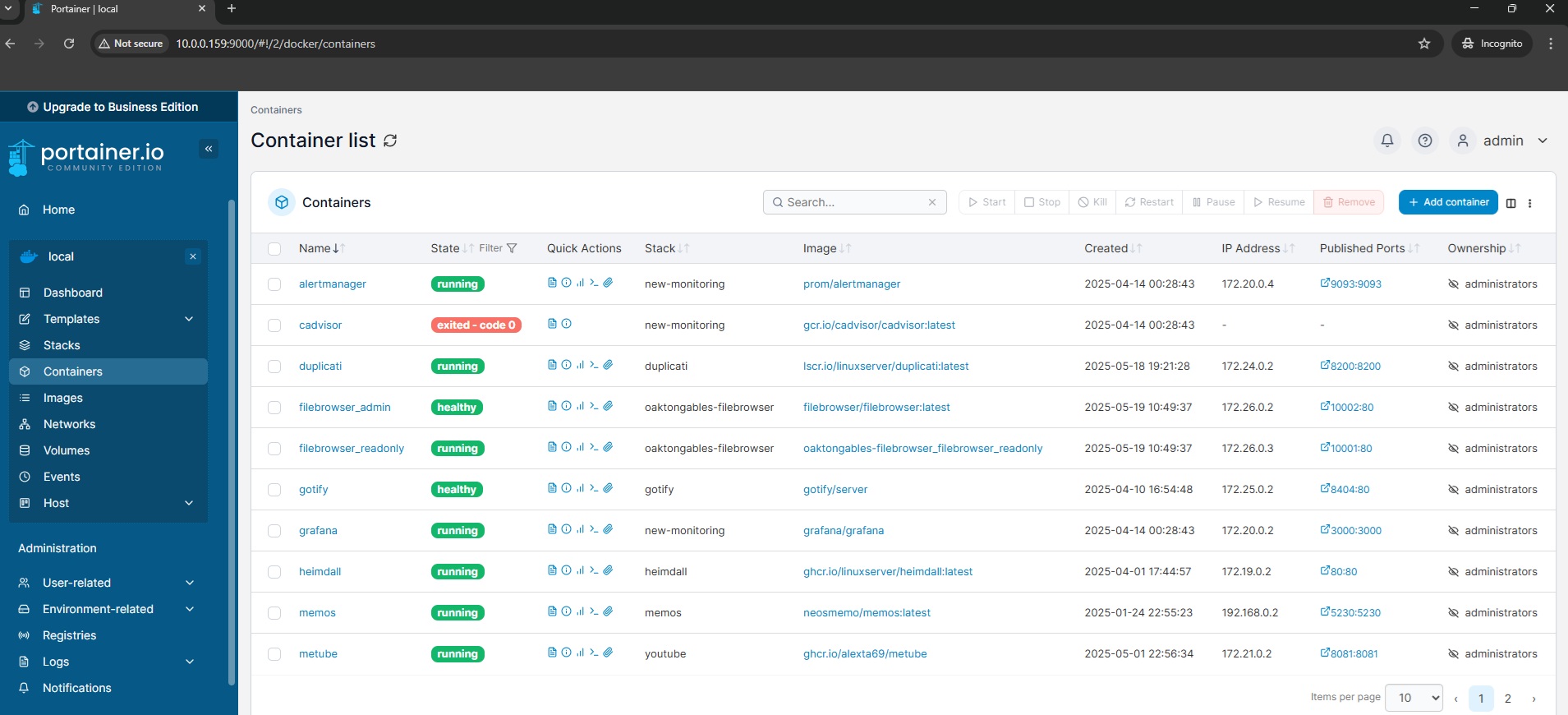
Tailscale - I use Tailscale VPN with one of the VM on my Proxmox cluster configured as an exit node. This allows me to access my local network from anywhere securely, without needing each individual device to be connected to the VPN, super useful when I'm traveling or working remotely. It's basically my private Google Drive alternative for my personal files and documents.
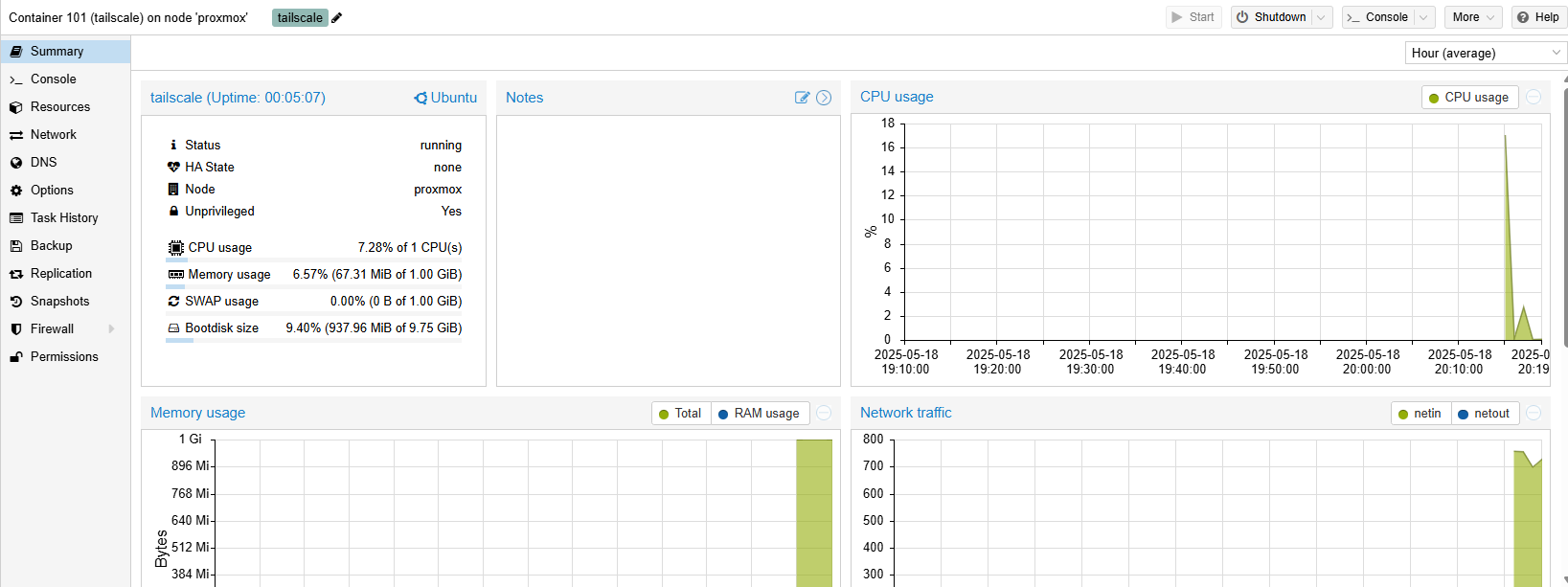
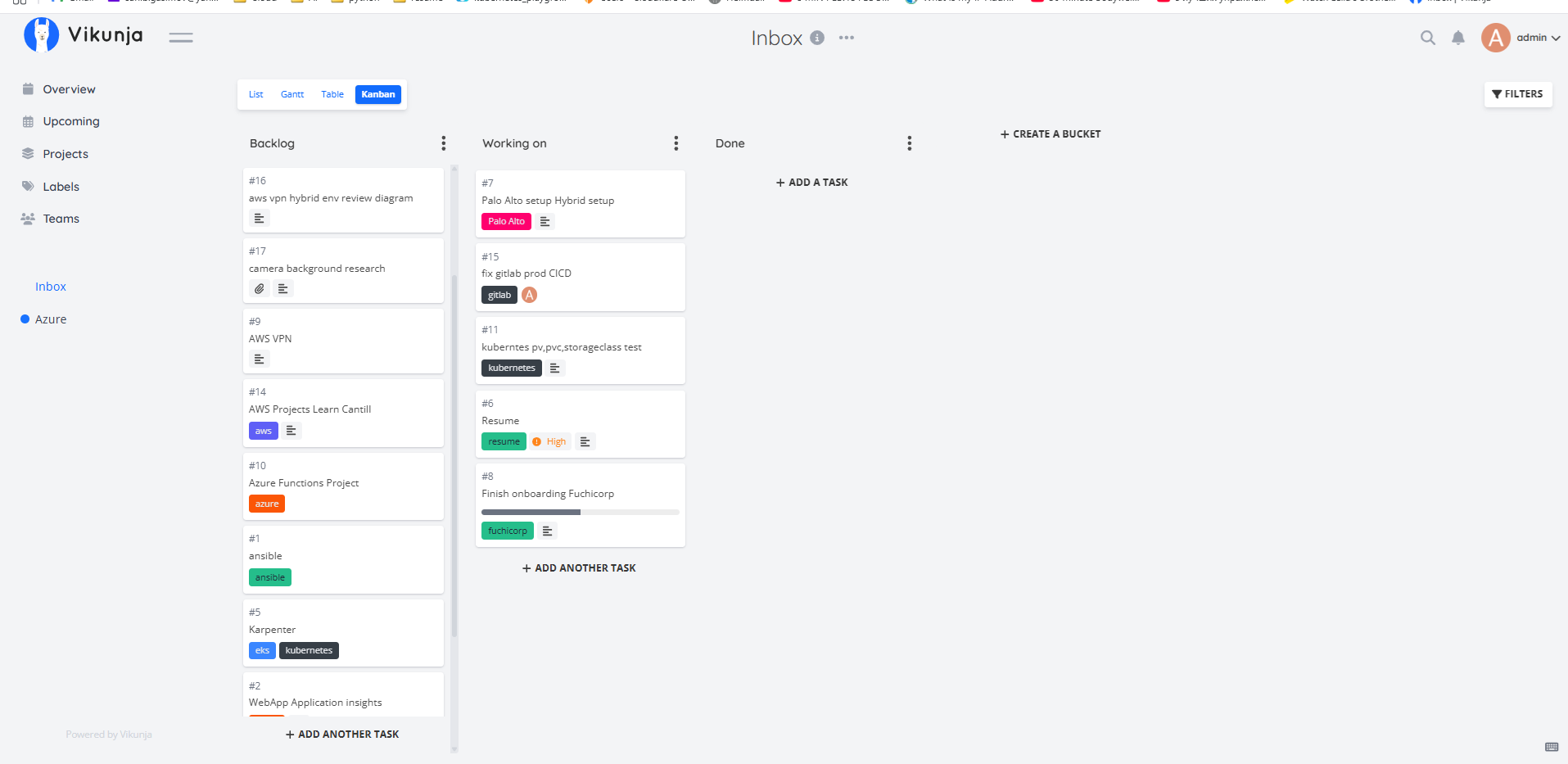
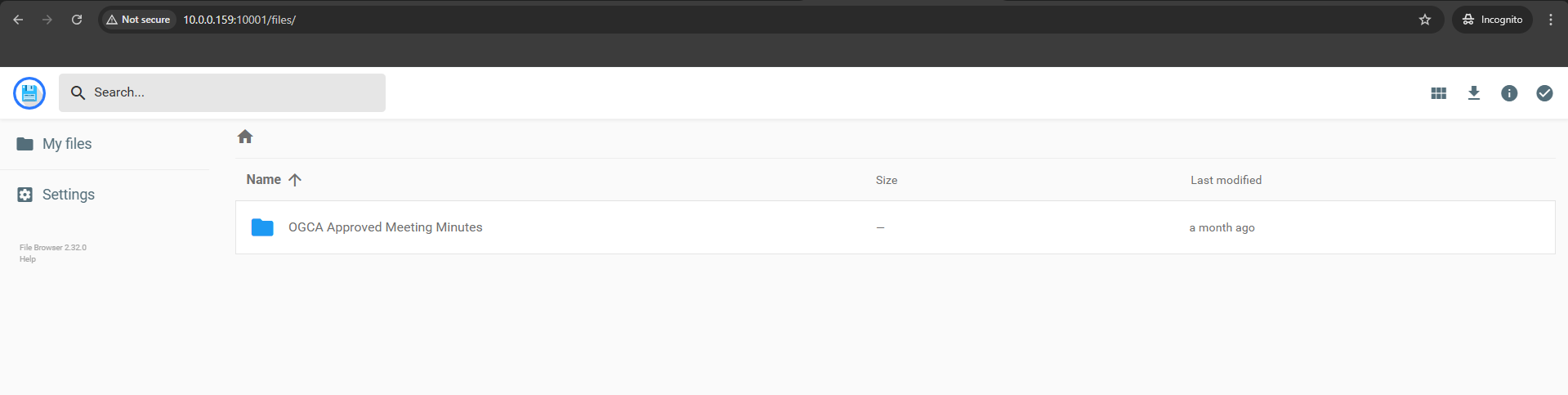
Memos, Vikunja (I use this for my Kanban To Do tasks) and Filebrowser these three apps are my go-to tools for staying organized, Memos for quick notes, Vikunja for task tracking and Kanban board or todo list if you will, and Filebrowser for quick file sharing. I also use Filebrowser for a community project where users can access reader and admin consoles. I've created separate dockers containers that I use with separate domains for different user access.
ntfy - A simple self-hosted push notification server.
I deploy it on Kubernetes via Helm and use it to get phone notifications when my cron backup jobs finish or fail
-
just a one-liner curl call at the end of each cron entry. I have the ntfy Android app on my phone,
and when I'm away from home I connect via Tailscale to reach my local ntfy instance. Simple and does exactly
what I need.
# tacked onto the end of each backup cron entry
0 3 * * * /opt/backup.sh && \
  curl -s -d "PBS backup OK $(date +\%F)" https://ntfy.local/homelab || \
  curl -s -H "Priority: urgent" -d "PBS backup FAILED" https://ntfy.local/homelab
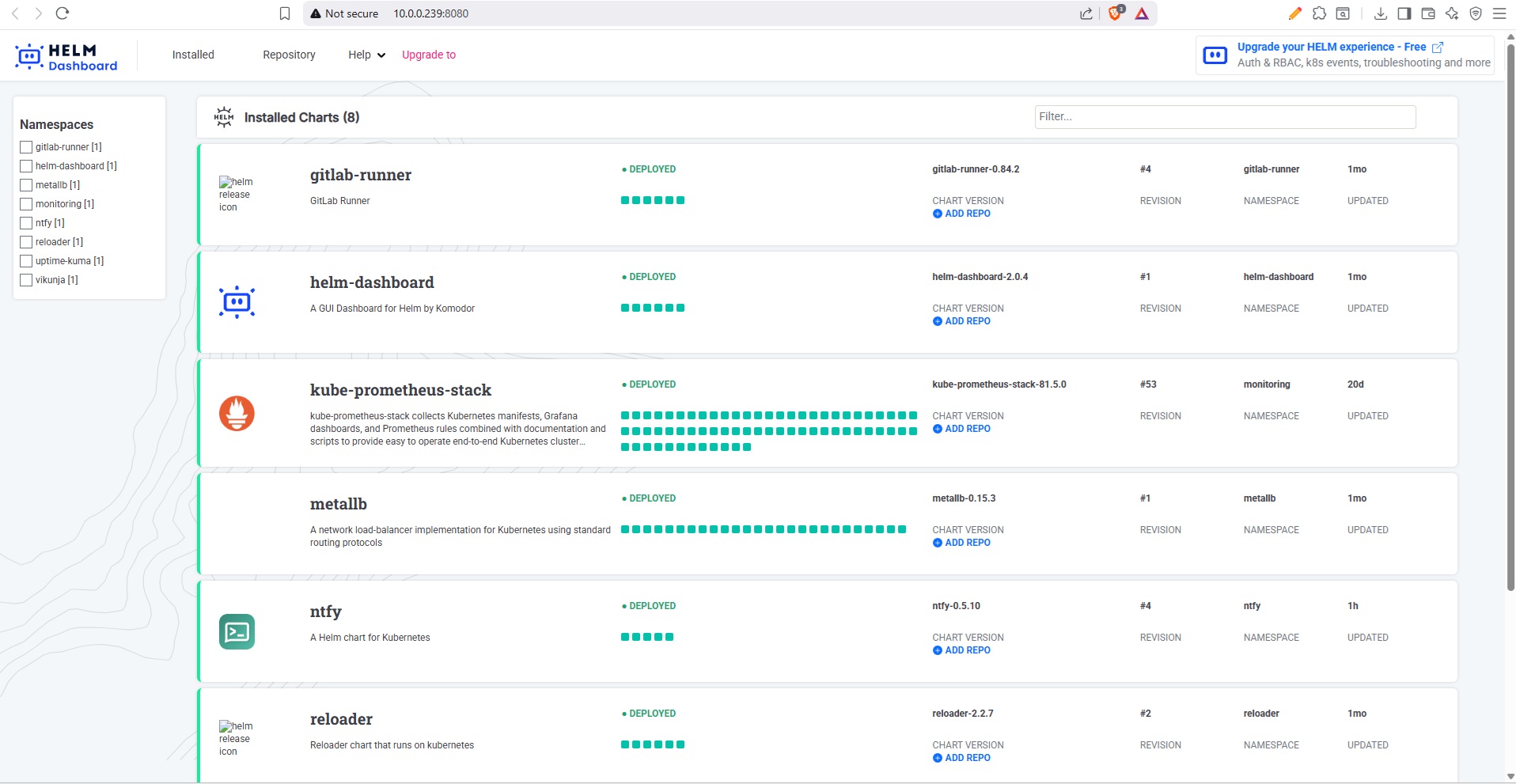
Helm Dashboard - A simple web
UI for managing my Helm releases on Kubernetes. Instead of running helm list and digging through
CLI output, I can see all releases, their status, values, and upgrade history in a browser. Handy for a quick
overview of what's deployed across namespaces.
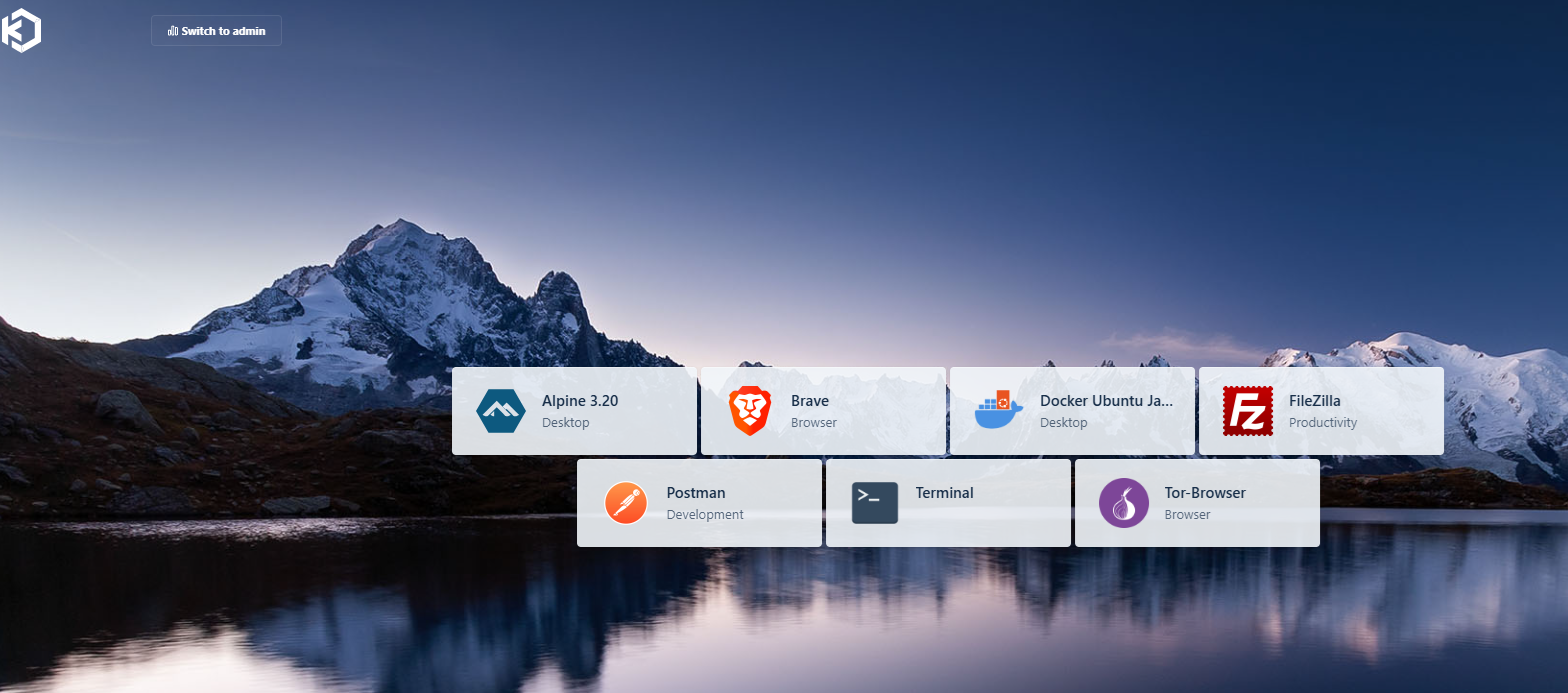
Kasm Workspaces - I's like being able to set up browser-accessible desktops whenever you need them. I use the free version for safely hopping onto websites, apps, or even full desktop environments, all wrapped up in isolated containers. When I'm done browsing or testing something new, I can start fresh without any leftovers. Plus, if I want to stay extra private, I just run Firefox or Opera with a VPN and then close the session. It's a nice way to keep things under wraps.
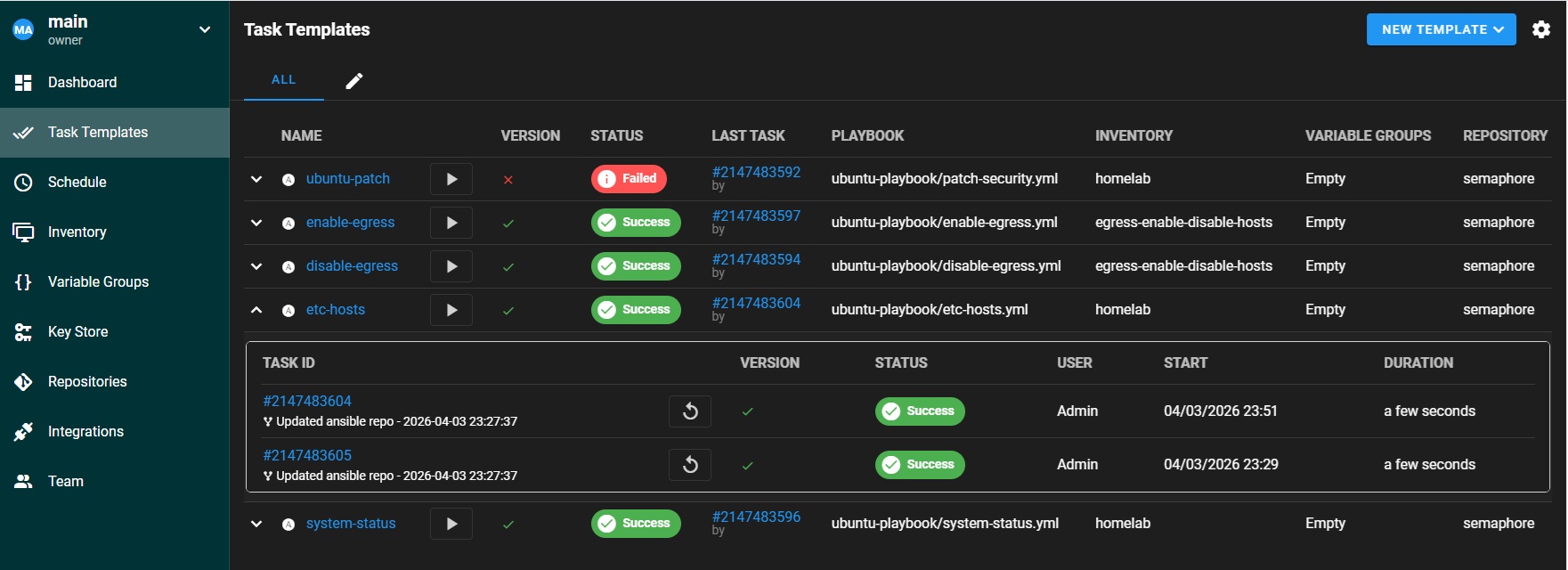
Semaphore - A web UI for running Ansible playbooks. I deploy it on Kubernetes via Helm and use it to schedule patching, config management, and maintenance tasks across all my VMs and LXC containers. It replaced AWX for most of my automation needs because it is much lighter and faster to deploy.
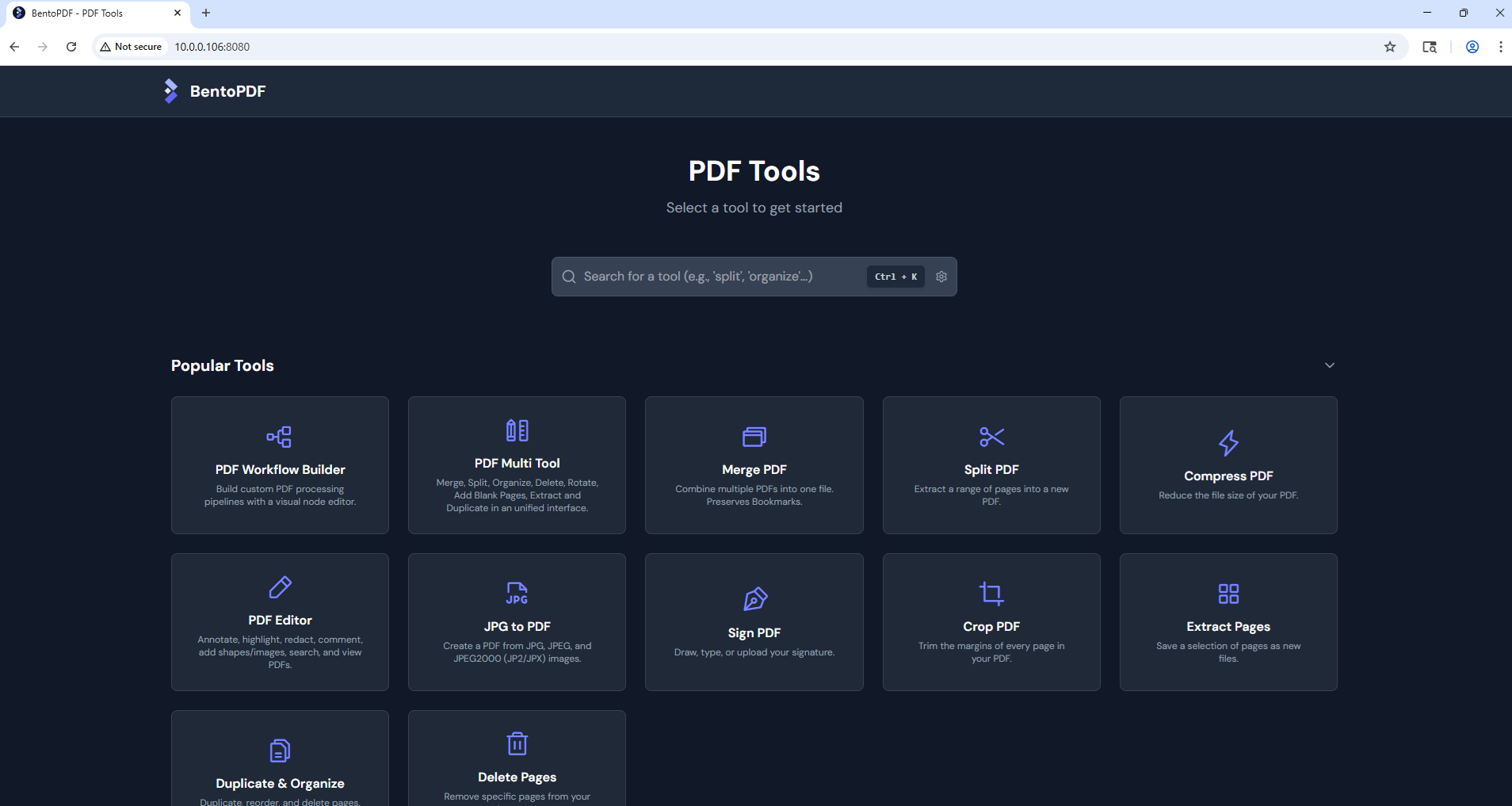
BentoPDF - a self-hosted PDF tool for merging, splitting, compressing, and converting documents. I run it as an LXC container on Proxmox. I don't use and I suggest You don't use free online PDF tools that upload files to unknown servers.
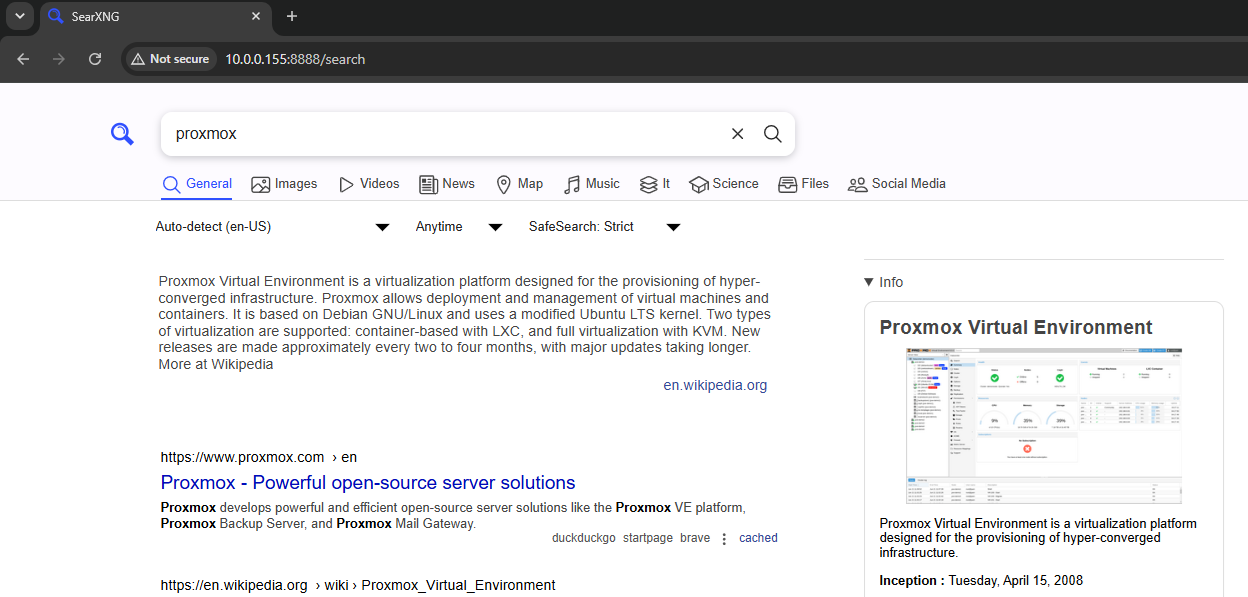
SearXNG - A self-hosted metasearch engine that queries multiple search engines at once and returns combined results, without tracking you or building a profile. I type a query, it hits Google, Bing, DuckDuckGo, and a bunch of others in parallel and shows you everything in one clean page. No accounts, no history, no filter bubble. I also use it as the search backend for Open WebUI so the local LLM can do web lookups without going through a third-party API.
Navidrome - my own little music streaming server. I pull tracks off YouTube with reclip, drop them in a folder, and Navidrome turns them into a proper library I can stream from anywhere. Basically my excuse to stop paying for a music subscription.
Joplin Server - where I keep all my internal notes. I run the server myself and connect the Joplin app on my phone and other devices over Tailscale, so everything syncs across all my devices without my notes ever touching someone else's cloud.
Speedtest Tracker - runs speed tests on a schedule and graphs my connection over time. Mostly here so I have receipts when the internet feels slow and I want to blame the ISP.
Rancher - a web UI for managing my Kubernetes cluster. Nice for getting a quick look at workloads, nodes and namespaces when I don't feel like living in kubectl all day.
Vaultwarden - my self-hosted password manager. I found it easier to run via proxmox community owned automated script, than to install it on a separate server or container. One of the best password managers for self-hosted. https://community-scripts.org/scripts/vaultwarden
LXC Containers vs Kubernetes

I split my workloads across three tiers - LXC containers, VMs on Proxmox, and a Kubernetes cluster - depending on what makes sense for each service as well as my own learning goals.
LXC containers on Proxmox are lightweight, fast to spin up, and they share the host kernel. They work well for stateful services that need direct hardware access, apps that don't need horizontal scaling, or services where I want full OS-level control without the overhead of a full VM. Backups and snapshots are handled natively by Proxmox, and restoring a broken LXC takes seconds.
The other advantage of LXC is Proxmox Community Helper Scripts. These are pre-built LXC stacks that can be run as a script with ready application. Sometimes I use them to quickly spin up a new service for testing or development, or to quickly test a new application that I want to try out. Also, many self-hosted applications use sqlite database, which many prebuilt inside community scripts, so saves me a lot of time and effort to setup a new service.
Some of my critical self-hosted services examples that I find better running on LXC: Paperless-NGX, Ollama LLM, Wazuh, GitLab, Vaultwarden, Tailscale, Beszel, Docker Compose workloads, BentoPDF, Kasm, Joplin Server.
Virtual machines get used where I need full kernel isolation rather than a shared one. I currently and mainly My Kubernetes nodes and GitLab server. Both want their own kernel, their own resource boundaries, and the freedom to be rebuilt or upgraded without touching the Proxmox host. The extra overhead is worth it for anything I'd consider infrastructure rather than just an app.
Kubernetes gives me declarative deployments, Helm-based package management, rolling updates, and a GitOps workflow through ArgoCD. For services where I want reproducible deploys, easy upgrades, and centralized monitoring, Kubernetes is the better fit. It is also the platform I work with professionally, so running it in my homelab keeps my skills sharp.
I use Gitlab CD for CI and Argo CD for GitOps pipeline for my self-hosted services. I only put a service on it when I actually want the declarative/GitOps workflow, everything else stays in a LXC.
My permanent Kubernetes services that are managed with Helm releases :
- ArgoCD - GitOps continuous delivery
- GitLab Runner - CI/CD pipeline execution
- Helm Dashboard - web UI for Helm releases
- kube-prometheus-stack - Prometheus, Grafana, Alertmanager
- MetalLB - bare-metal load balancer
- ntfy - push notifications for cron jobs
- Reloader - auto-restart pods on config changes
- SearXNG - self-hosted metasearch engine
- Semaphore - Ansible automation UI
- Uptime Kuma - service monitoring
- Vikunja - task management / Kanban board
- Rancher - Kubernetes management UI
Load Balancing with
One challenge with running Kubernetes in a homelab is that there's no cloud provider to hand out external IPs for LoadBalancer services. MetalLB solved that problem for me, it's a bare-metal load balancer that gives services real IPs from a pool I define.
I deployed it via Helm and configured it in Layer 2 mode with an IP range from my home network. Now when I create a LoadBalancer service, MetalLB assigns it an IP automatically, all pods of that service are then accessible via that IP.
If I need to expose any self-hosted service to the internet, I use Cloduflare Zero Trust and Cloudflare Tunnel
# metallb IPAddressPool + L2Advertisement (values.yaml)
apiVersion: metallb.io/v1beta1
kind: IPAddressPool
metadata:
  name: homelab-pool
  namespace: metallb-system
spec:
  addresses:
    - 10.0.40.200-10.0.40.250   # k8s VLAN, reserved outside DHCP
---
apiVersion: metallb.io/v1beta1
kind: L2Advertisement
metadata:
  name: homelab-l2
  namespace: metallb-system
Moving to GitOps with Argo CD
For a long time, every app on my cluster had its own little deploy.sh or helm.sh
script sitting in a folder. To deploy or update something, I'd SSH in, navigate to the right folder, and run
the script manually. It worked, but it got messy fast. Scripts got out of date, I'd forget which version was
actually running on the cluster, and if I rebuilt a node or wanted to recreate an app, I had to go digging
through folders to find the right commands. There was no single place that told me "this is what the cluster
should look like."
I eventually moved everything to Argo CD. The idea is simple: you keep all your app configs in a Git repo, and Argo CD watches that repo and makes sure the cluster matches what's in it. Push a change to Git, Argo CD picks it up and syncs. That's it. No more SSHing in to run scripts.
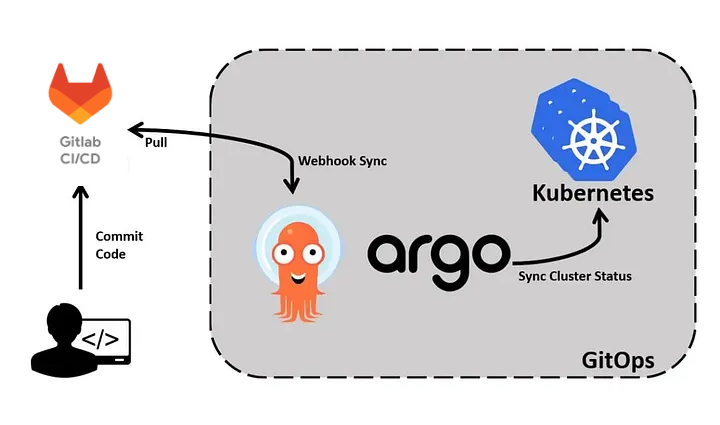
The repo is structured like this:
gitops/
├── bootstrap/
│   └── root-app.yaml      # applied once; Argo then manages itself
├── apps/                  # one Application YAML per service
│   ├── vikunja.yaml
│   ├── monitoring.yaml
│   └── …
├── charts/                # Helm values (and vendored .tgz where needed)
│   └── vikunja/values.yaml
└── manifests/             # plain Kubernetes YAML (no Helm)
    └── searxng/
apps/ tells Argo CD what to deploy and which namespace to use.
charts/ holds Helm values (and vendored chart tarballs so sync works offline).
manifests/ is for apps that are just raw YAML.
bootstrap/root-app.yaml is the app-of-apps: after that one apply, new files in
apps/ get picked up automatically.
Where a chart is vendored, the .tgz is committed in-repo, so Argo CD does not need upstream Helm
repos at sync time.
# apps/vikunja.yaml - one Application per service
apiVersion: argoproj.io/v1alpha1
kind: Application
metadata:
  name: vikunja
  namespace: argocd
spec:
  project: default
  source:
    repoURL: https://gitlab.local/homelab/gitops.git
    targetRevision: main
    path: charts/vikunja
  destination:
    server: https://kubernetes.default.svc
    namespace: vikunja
  syncPolicy:
    automated: { prune: true, selfHeal: true }
    syncOptions: [CreateNamespace=true]
Now all all Helm releases on the cluster are managed this way - Argo CD, MetalLB, Prometheus stack, Semaphore,
Vikunja, ntfy, and the rest. If I want to change a config, I edit the values.yaml, commit, push,
and Argo CD handles the rest. If someone (me, at 2am) manually runs kubectl apply or
helm upgrade on a managed app, Argo CD will revert it back to what's in Git within a few minutes.
That self-healing behaviour has already saved me from myself a couple of times.
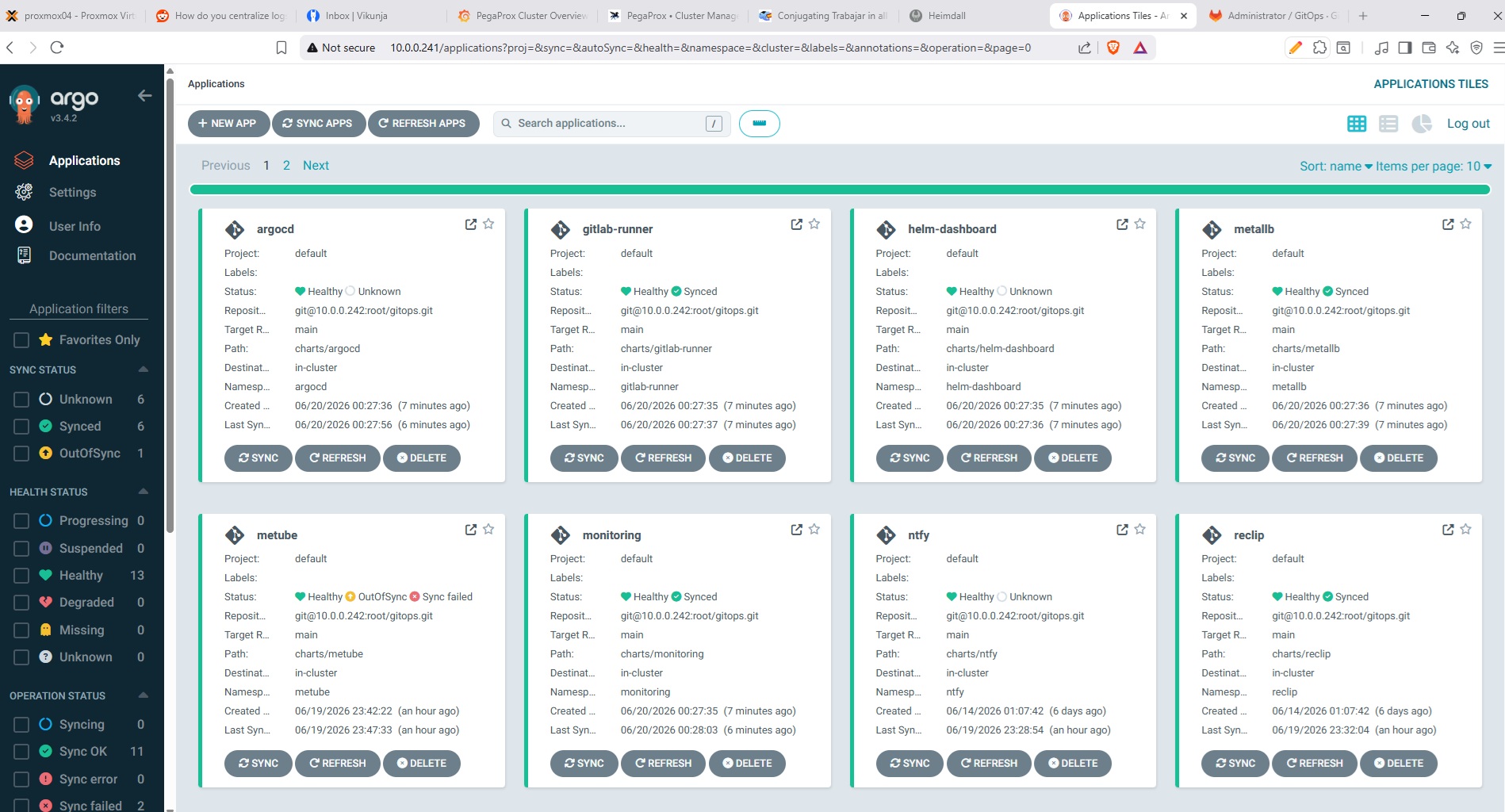
Argo CD dashboard - all apps synced from the GitLab repo
Security and Networking Setup
Networking and security in a homelab is always a bit of a rabbit hole. I started simple just exposing a couple of services on ports, but after a few too many random bots hitting my open ports, I decided to tighten things up...
I use Cloudflare as my reverse proxy for anything web-based. It handles my three domains, manages SSL certificates, and listens on local Docker ports. I also run Cloudflare Tunnels to access certain services without needing to open any ports which makes life a lot simpler. Cloudflare has a Terraform provider, so I use that to manage the tunnels, DNS, and Zero Trust apps.
For internal apps, I started experimenting with Cloudflare Zero Trust to lock things down even further with it's policies.
My bastion server has DUO MFA for SSH access. I do use Tailscale exit node to access my local network when I need to connect remotely.
For secrets and passwords, I run Vaultwarden (a lightweight Bitwarden-compatible server) on Kubernetes via Helm. Syncs with my browsers and phone.
Other things I've put in place:
- Fail2Ban to block brute-force attempts on exposed ports (this alone catches a lot)
- UFW firewall on all VMs and Docker hosts. On data-sensitive servers like my fileserver and Vaultwarden, I block all outbound (egress) traffic by default. This way, even if something gets compromised, it cannot phone home. I only temporarily enable egress during patching using an Ansible playbook triggered through Semaphore, and disable it again once updates are done.
- Wildcard SSL via Cloudflare DNS for external services
# default-deny egress on the fileserver; only LAN + DNS allowed
ufw default deny outgoing
ufw default deny incoming
ufw allow from 10.0.30.0/24          # storage VLAN peers
ufw allow out to 10.0.10.0/24 port 53 proto udp   # internal DNS
ufw allow in on eth0 to any port 445 proto tcp     # SMB from LAN
ufw enable
Grafana Loki I use to pull in logs from the bastion and key servers, all centralized in Grafana.
I also run Wazuh - an open source security platform for threat detection, integrity monitoring, and log analysis. It runs as a VM on Proxmox with agents on my servers and Kubernetes nodes. Gives me a centralized view of security events across the whole homelab - failed logins, file integrity changes, suspicious processes.
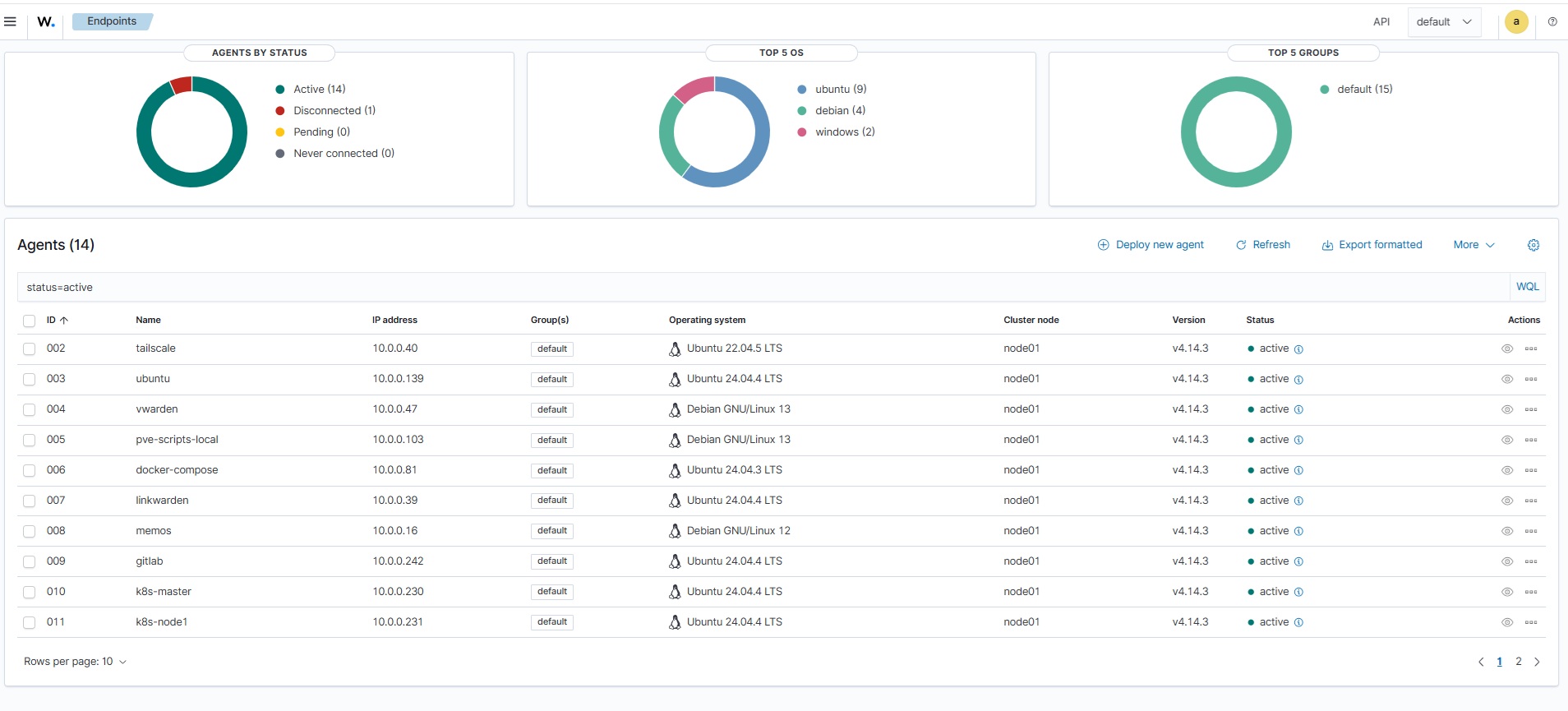
Monitoring
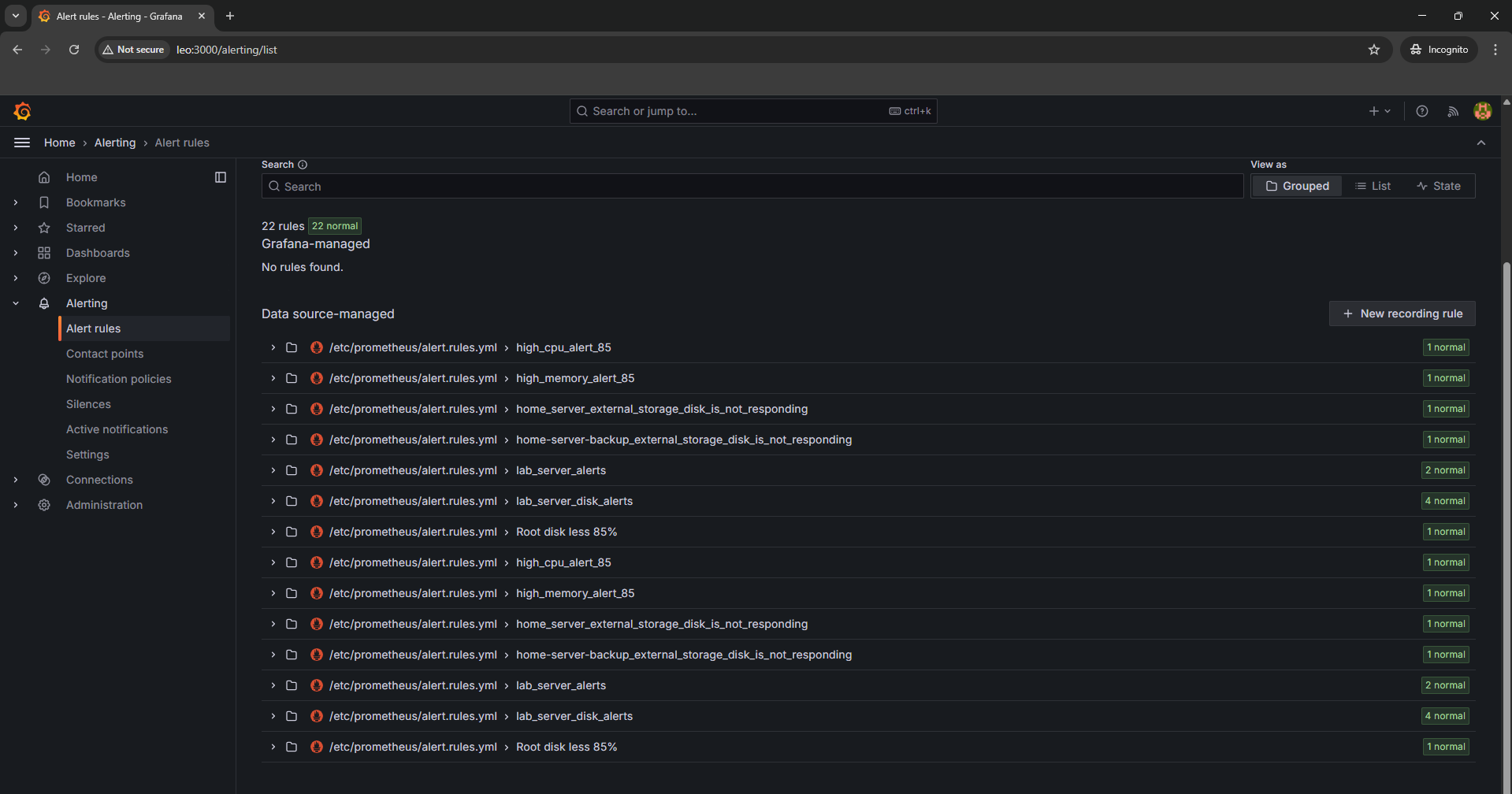
My monitoring stack now runs mainly on Kubernetes using kube-prometheus-stack deployed via Helm (I also use Beszel and Uptime Kuma for additional monitoring). It includes Prometheus, Grafana, Alertmanager, and various exporters. I also run node-exporter on my physical hosts and Proxmox nodes to collect system metrics.
The setup alerts me via email when things go wrong, high CPU, memory issues, disk space running low, or services going down. Helm makes it easy to manage and update the whole stack with a single values file.
All my Grafana dashboards are managed through IaC, no manual clicking around. Dashboards are defined in code and deployed automatically, so everything stays consistent and reproducible. I use cAdvisor for containers.
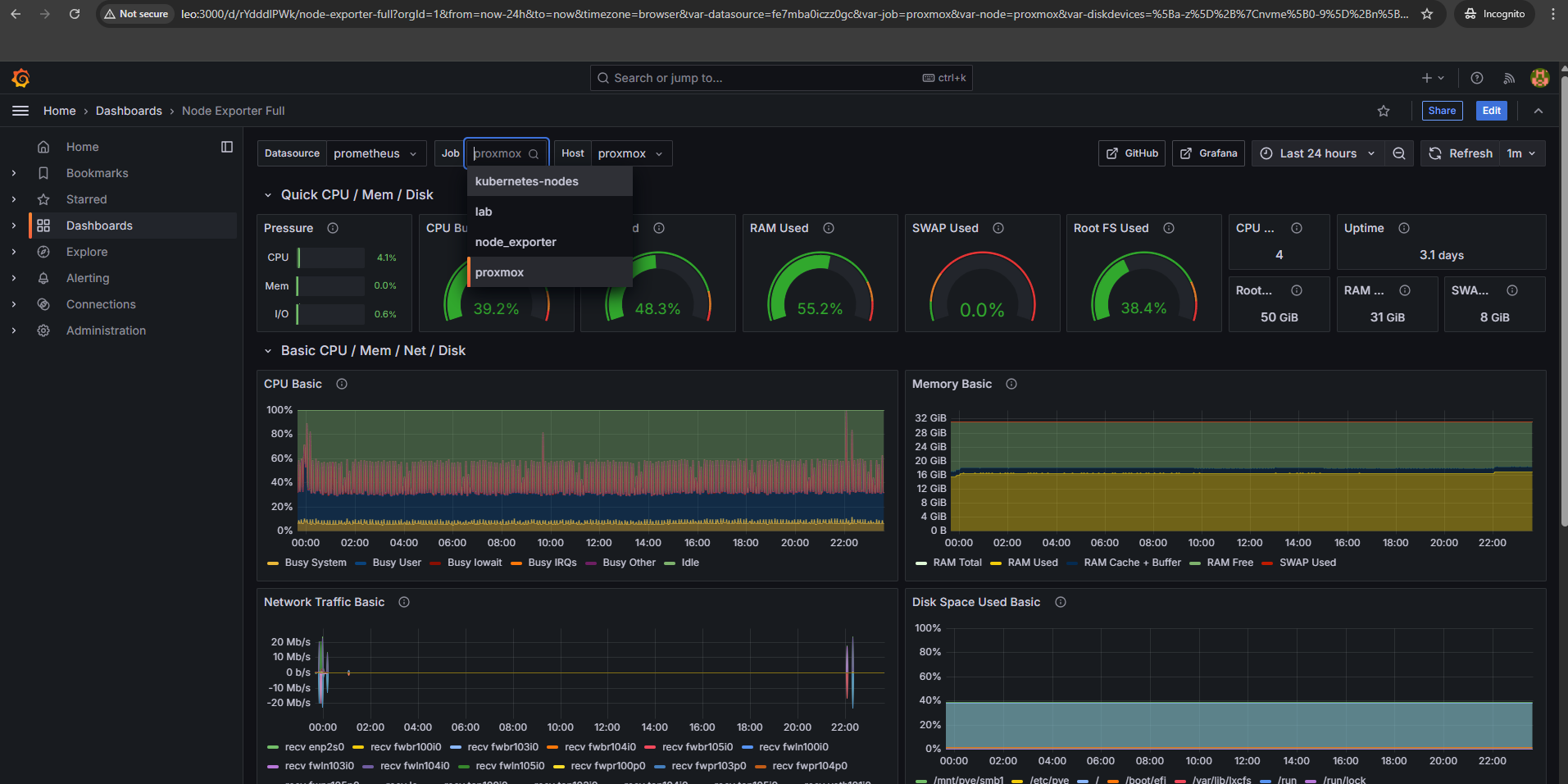
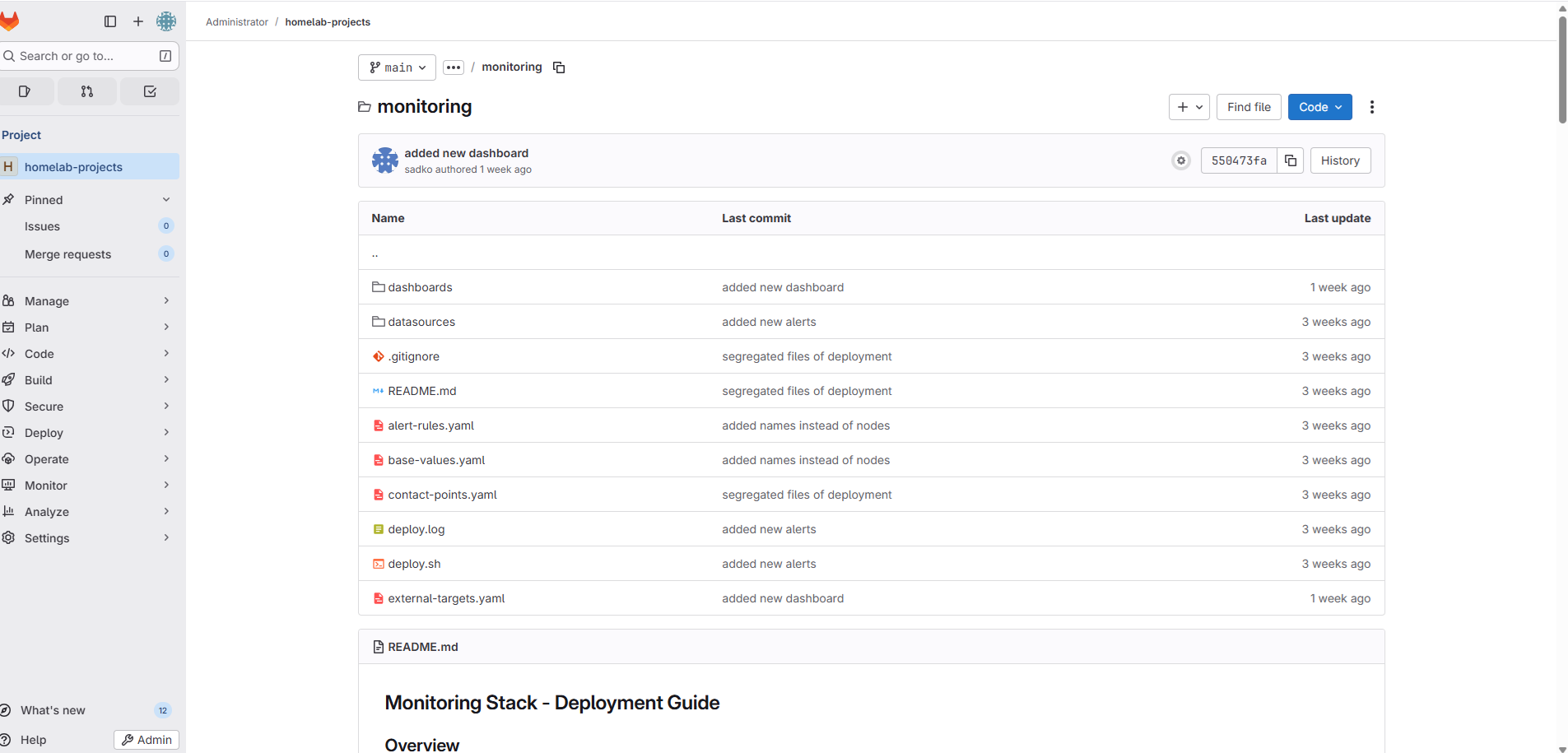
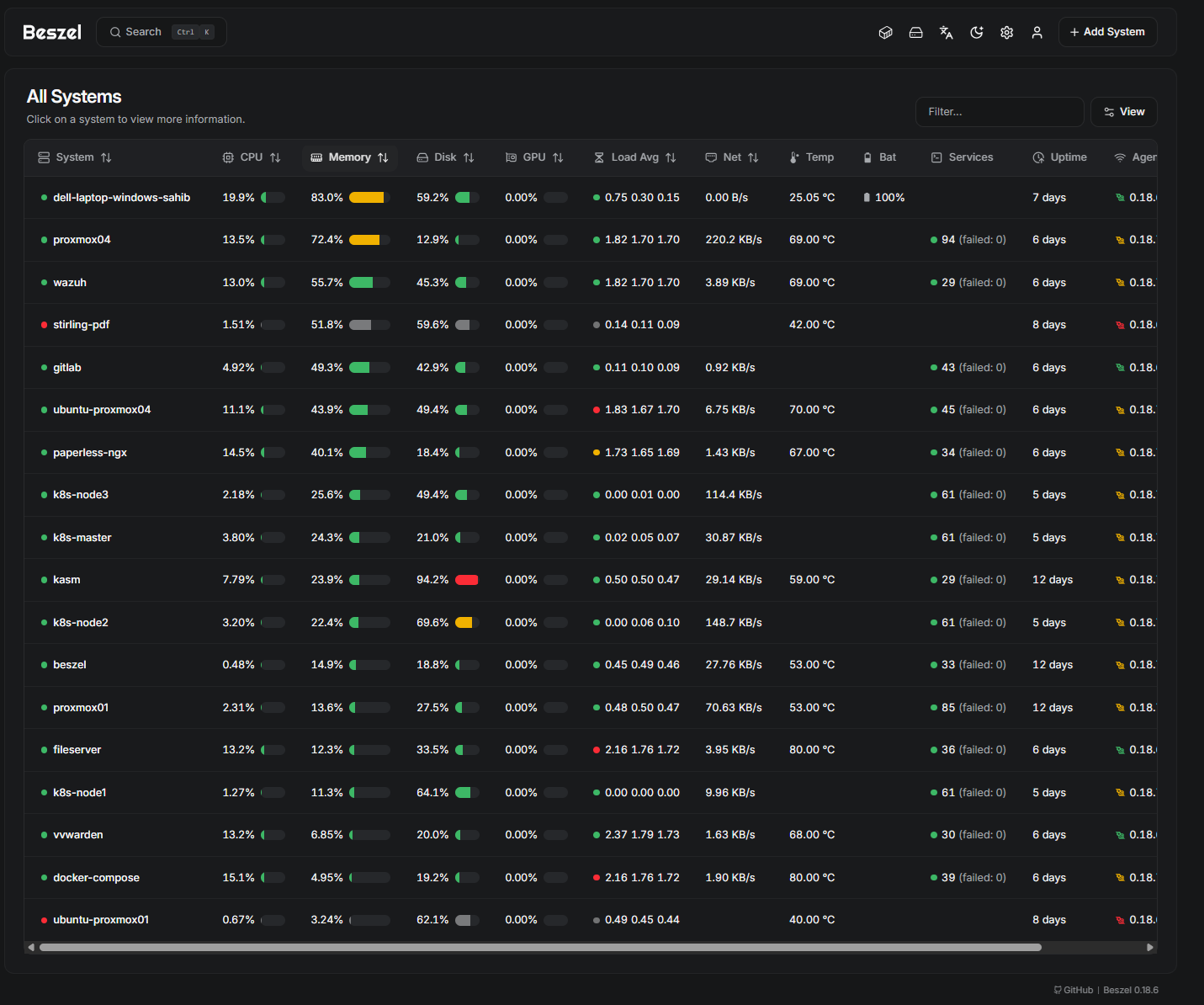
Beszel - A lightweight server monitoring tool that tracks CPU, memory, disk, and network usage across all my machines. It runs as an LXC container on Proxmox and collects metrics from agents deployed on each host. Simple to set up, low overhead, and gives me a quick overview of system health without the complexity of a full monitoring stack.
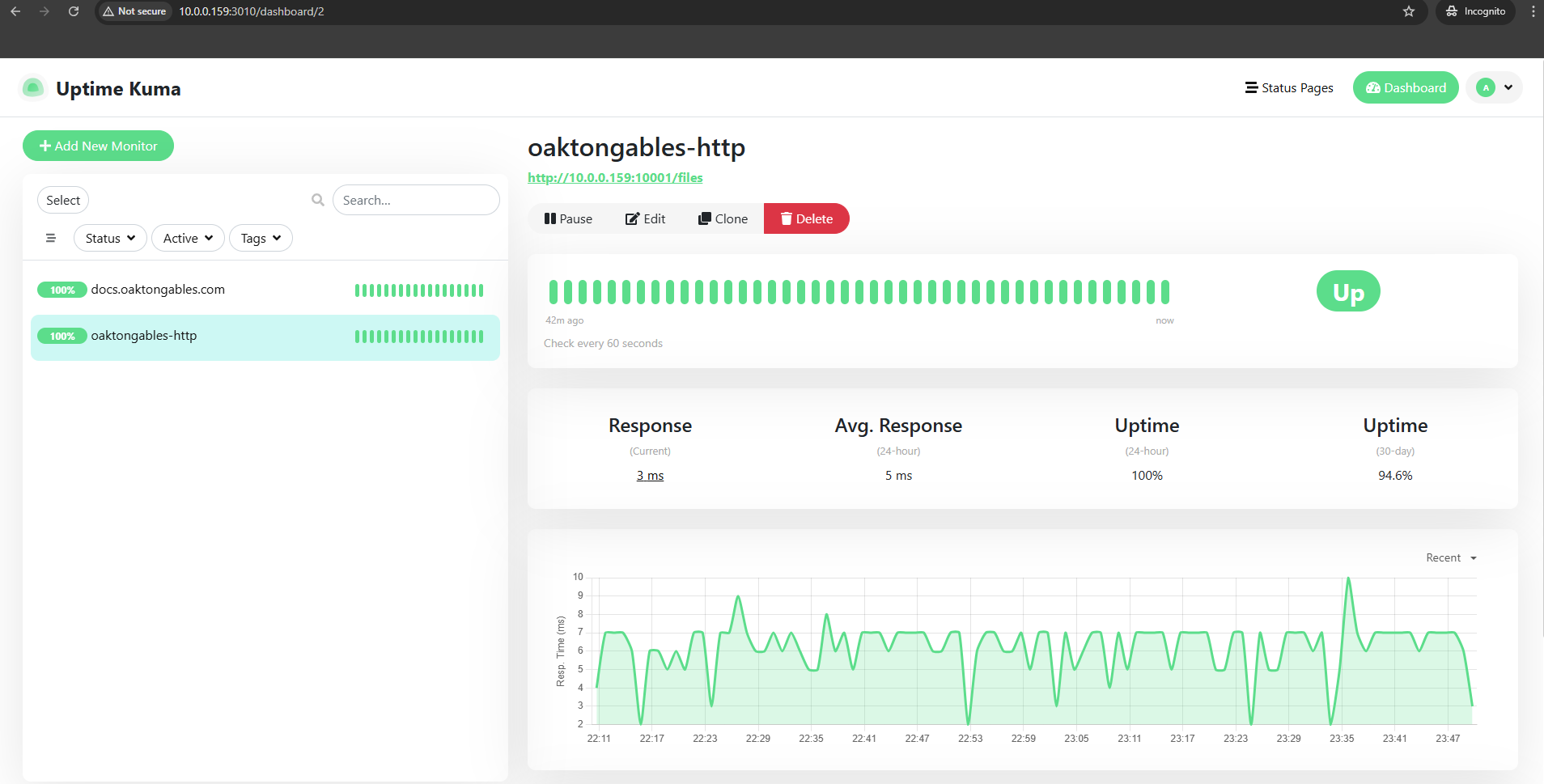
Uptime Kuma - Super easy to configure, just pings my services and lets me know if anything's down. I run it on Kubernetes now via Helm. Small tool, but super handy.